
DLA contract management
Capture DLA order and contract numbers, CLINs, NSNs, FOB, inspection and acceptance points, and ship-to addresses from one intake.
Learn moreManage awards from DLA (DIBBS), the Navy (NECO) and other agencies through sourcing, procurement, quality, shipping and delivery.
Awards are entered through the intake form or an Excel import. O2F is not connected to DIBBS or NECO.
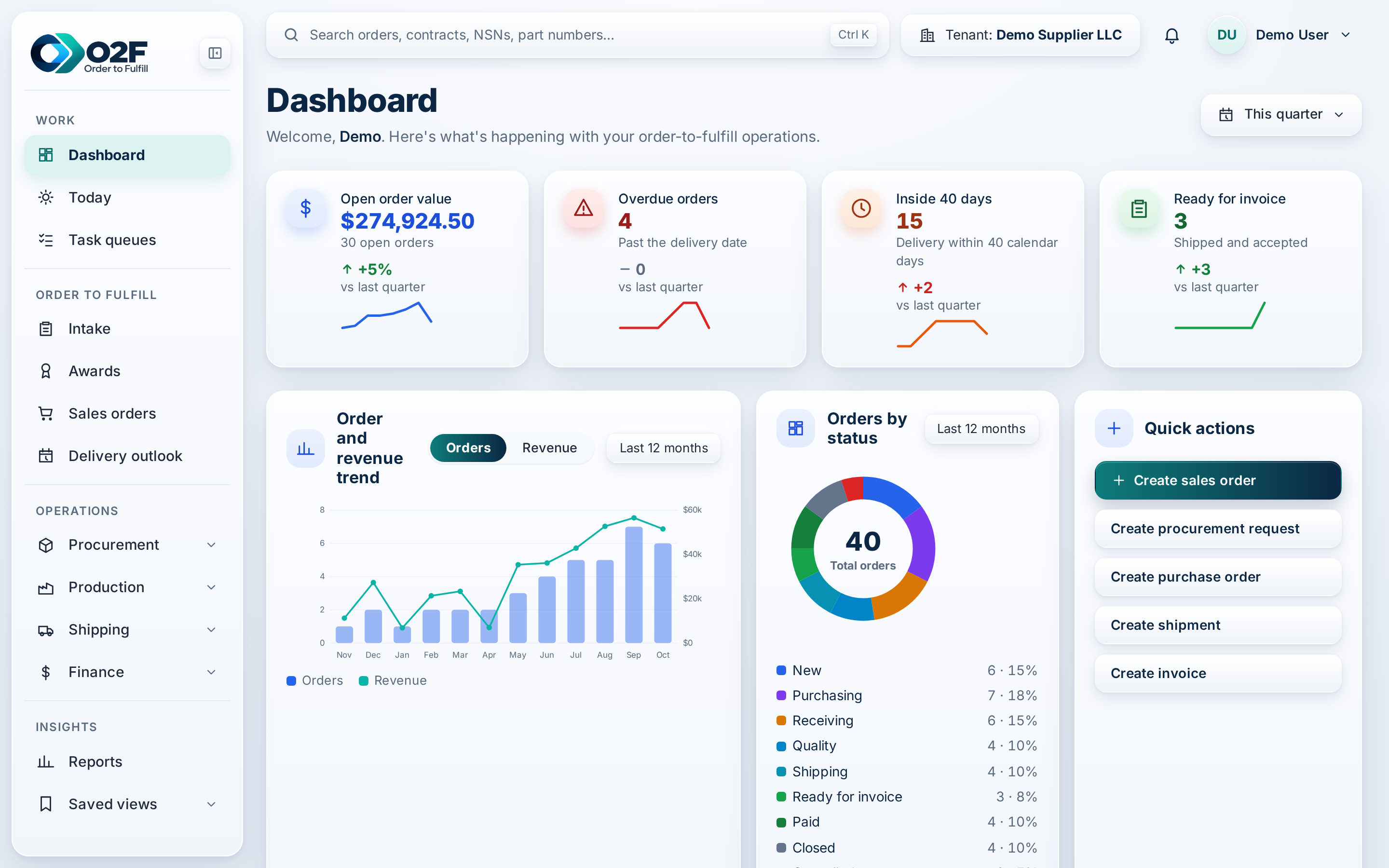
O2F is an order-to-fulfill management platform designed to help government contractors and defense suppliers manage the entire post-award lifecycle - from DLA and DIBBS contract awards through supplier sourcing, procurement, quality inspections, shipping, and final delivery.
Confirming an award creates the sales order and its first task. Each department's task opens when the one before it is done, and O2F holds an order until its checks are met.
Enter or import the award, its CLINs and its required delivery date.
Run an RFQ, record supplier quotes and approve the winner.
Issue the purchase order and receive the material.
Inspect each receipt, open NCRs and release to ship.
Ship with tracking, invoice, and record the payment.
Every department works the same order: sales, purchasing, inventory, quality, shipping and finance.
Capture DLA order and contract numbers, CLINs, NSNs, FOB, inspection and acceptance points, and ship-to addresses from one intake.
Learn moreTrack every award's amount, costs and estimated profit, filter by status, supplier and delivery date, and export to CSV.
Learn moreKeep supplier records with CAGE codes, issue purchase orders from approved selections and receive against them.
Learn moreRecord quotes with unit, packaging, pallet and freight costs, compare them side by side and send the winner for approval.
Learn moreInspect every receipt line, record NCRs with dispositions, and hold the purchase order until quality clears it.
Learn moreBuild shipments from the order's CLINs, record carriers and tracking numbers, and attach labels and packing lists.
Learn moreSee how each team contributes to the same fulfillment record, with its own work to complete.
Review delivery risk across departments, approve supplier selections, and see the top reason an order needs attention.
Explore this workflowKeep supplier quotes, approved selections, purchase orders, and line-level receipts connected to the same order.
Explore this workflowRecord inspections and non-conformance reports, manage holds, and see what still needs to clear before shipment.
Explore this workflowKeep shipment documents and tracking references together, then follow invoices, WAWF submission records, and payments.
Explore this workflowDepartment and read-only users see their department's work. Admins and operations managers can work across departments. See access and security
The delivery outlook groups open orders by days to their required delivery date, scores each one for risk and names the top reason, such as no purchase order yet or nothing shipped with a week to go.
When an order's required delivery date is 40 days away, O2F notifies the admins and operations managers in the app, and by email unless they have turned that email off.
How fulfillment worksO2F ties progress to the work and records required at each stage.
Supplier selection is reviewed before a purchase order is issued. Keep the decision and the next action connected.
Explore this workflowReceiving opens the quality workflow. Open non-conformance reports hold the purchase order until they are closed.
Explore this workflowFinalization checks release, quality, tracking, and required documents. Keep the invoice tied to what actually shipped.
Explore this workflowNew
Purchasing
Receiving
Quality
Shipping, ready for invoice, paid
Follow one order from award to delivery, then explore practical supplier guides.
Review the award, plan inspection, and start the fulfillment record.
Read moreWork backward from the required date and see the reasons an order is at risk.
Read morePrepare the invoice, shipment records, and values you will enter in WAWF.
Read moreThe delivery outlook groups orders by days to required delivery, scores their risk, and identifies the top reason. The 40-day alert goes to admins and operations managers.
| Overdue | Past the required delivery date |
|---|---|
| 0-10 and 11-20 days | Inside three weeks |
| 21-40 days | Inside the 40-day alert |
| 41-60 and over 60 days | Further out |
| Open NCR | Any time |
|---|---|
| No purchase order | 30 days or less to go |
| Not received | 20 days or less |
| Not released to ship | 10 days or less |
| No shipment shipped | 7 days or less |
Tell us what you fulfill and what you want to see. We will walk you through O2F from award to delivery.